
1. General description
The marketplace serves as the central platform for searching, filtering and ordering articles. Users can browse product groups, use specific classifications such as EClass and connect external catalogues via OCI. All articles can be added straight to the shopping cart and their quantity adjusted.
2. Navigation & product groups
-
On the left-hand side you will find the overview of all product groups.
-
Clicking a product group opens the associated articles.
-
Further filters can then be applied.
3. Search and filter options
The marketplace offers a wide range of filter options:
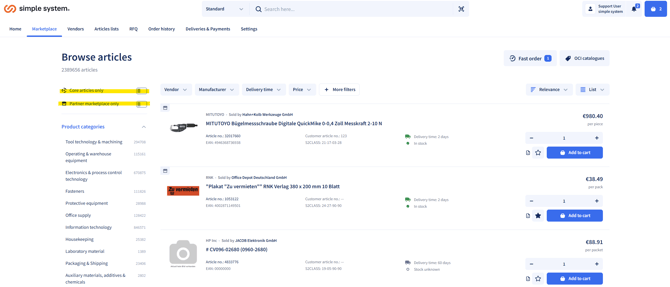
Assortment filter
-
Show the core assortment
-
Show or hide the partner marketplace
Further filter options
Users can narrow down articles by numerous attributes, including:
-
Manufacturer
-
Vendor
-
Delivery time
-
+ further filters: e.g. classification, weight, manufacturer/brand, dimensions...
4. Sort functions
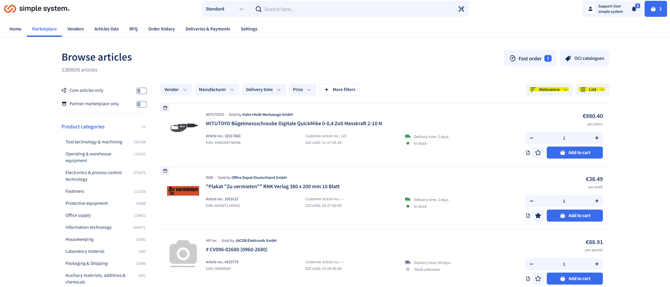
Sort options are available in the top right:
-
Relevance
-
Name (ascending/descending)
-
Price (ascending/descending)
You can also switch between list view and tile view.
5. Fast order
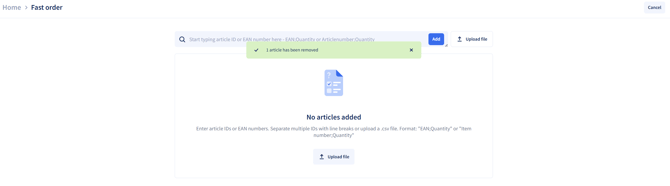
Fast order allows articles to be added directly via:
-
Article ID
-
EAN number
Input options
-
Separate multiple IDs with line breaks
-
Alternatively, upload a .csv file
-
Supported formats:
-
"EAN;Anzahl" -
"Artikelnummer;Anzahl"
-
6. OCI catalogue connection
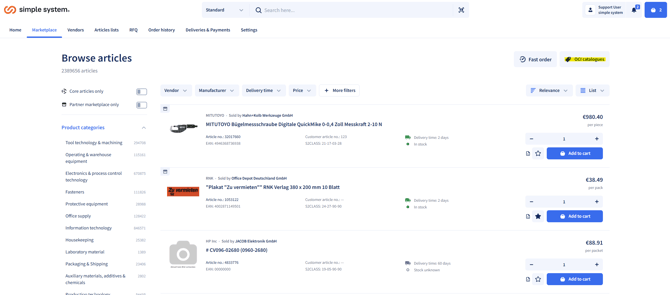
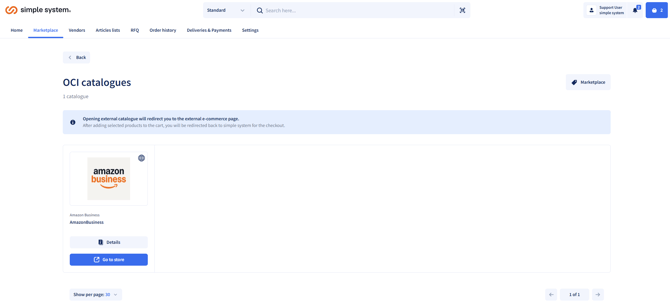
The marketplace supports the integration of external OCI catalogues, e.g. Amazon Business.
Procedure
-
The user is forwarded to the external catalogue.
-
Articles are added to the shopping cart there and confirmed.
-
Once complete, you are automatically returned to the simple system shopping cart.
-
The order can be finalised there.
7. Article details & cart
Every article shows the following information:
-
Article name
-
Seller
-
Article number
-
EAN
-
Delivery time
-
Stock (if maintained by the vendor)
-
Price per unit or package
The quantity of articles can be adjusted and they can be added straight to the shopping cart.
Summary
The marketplace offers a comprehensive and flexible way to find, compare and order articles efficiently. The combination of product groups, S2Class search, extensive filter options and sort functions allows the assortment to be narrowed down precisely. Quick entry makes it easier to add large numbers of articles, while OCI catalogues integrate external procurement sources seamlessly. Detailed article information and the option to adjust quantities directly ensure a transparent and efficient ordering process.