
Procedure
-
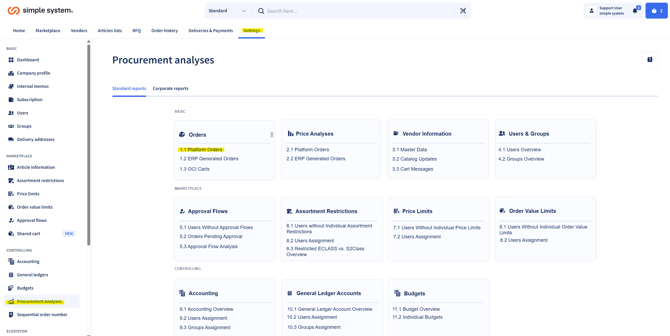
Navigate in the system to the “Procurement analysis” tab.
-
Select the “Platform orders” option.
-
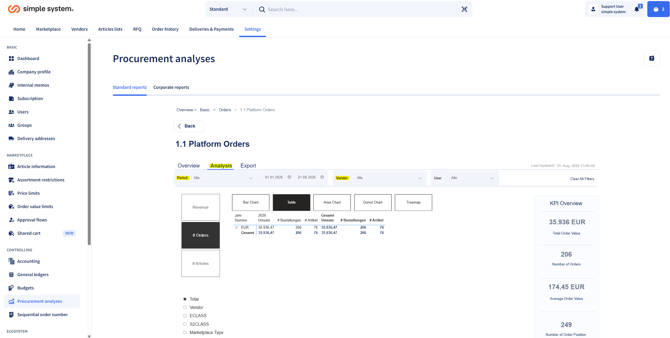
Set filters for:
-
the required period
-
the required vendor
- the required user
-
-
Define the output type under “Analysis” (e.g. a table overview or a graphical display). Under "Export" you can output all order line items with all their information.
-
Export the report:
-
Move the mouse over the display.
-
Click the three dots at the top right.
-
Select “Export data”.
-
Summary
In the “Procurement Analysis” section you can analyse orders placed with a particular vendor within a required period. Using suitable filters you select the period and vendor, define the output type and can then export the results.