
Setting sequential order numbers
- Navigate to Settings > Sequential order number
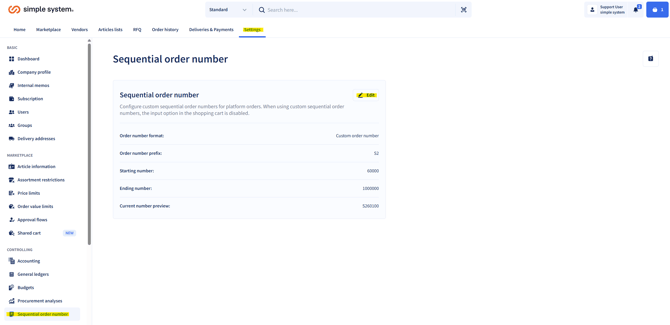
-
Choose between:
-
Standard numbering (automatically sequential).
-
Customer-specific order number (combination freely selectable).
-
-
Enter your required values:
-
Prefix of the order number, e.g. S2
-
Start number (e.g. "001")
-
- End number (e.g. "999")
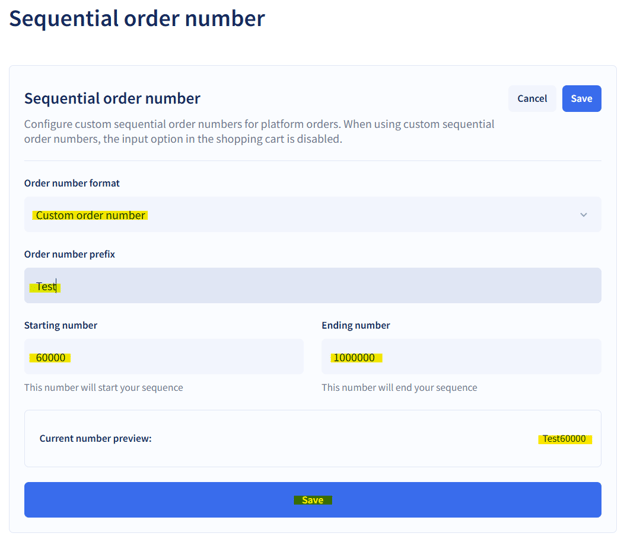
- Save your settings.
- Tips for use:
- Use a unique prefix so that orders can be allocated quickly.
- Make sure the number range is large enough to cover future orders.
- Sequential numbering ensures consistency and prevents duplicate numbers.
Guide for administrators