
Creating price limits
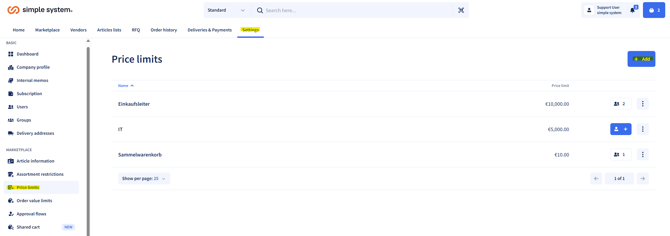
- Under Settings, go to the tab "Price limits".
- Click "Add".
- Choose between:
- Custom price limit: individually defined limit for specific users
- Default price limit: applies automatically to all users who are not assigned to an individual unit price limit. - Assign a name to the limit.
- Enter the desired value (maximum article price).
- Save the setting.
Important: This price restriction cannot be lifted by approvals or by other methods.
Assigning users
- You can assign price limits to:
- individual users
- groups
- all users
Note: A mix of these options is not possible.
Summary
Price limits set the maximum price per article and thus prevent overpriced orders. They can be set up individually or as a default and assigned to users, groups or all users. A mixed model is not possible. The restriction is binding and cannot be lifted by approvals.
Instructions for administrators