
Creating a request for quotation
1. Click " Create RFQ".
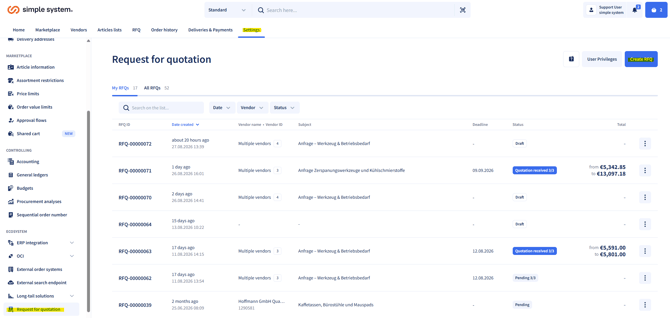
2. Complete the form:
- Select a vendor (only vendors taking part in RFQ can be selected).
- Describe the request.
- Optional: attach a file (e.g. photos, data sheets, drawings).
3. Send the request to the selected vendor.
Note:
- If a vendor cannot be selected, check the assortment restrictions.
- Preferred vendors can be enabled for this function free of charge.
Processing quotations
-
After sending, the request appears in the overview.
-
As soon as the vendor replies:
-
simpleAI reads the quotation automatically.
-
-
-
This creates orderable articles (automatically or manually).
-
Article data can be adjusted individually.
-
-
Add the articles to the shopping cart to start the usual ordering process.
Process integration
Requests for quotation draw on the existing procurement policies:
-
Minimum and maximum order values
-
Approval processes
-
User-based or account-assignment-based budgets
This keeps the entire workflow consistent with your company policies.
Overview and status messages
In the overview you can see:
-
Your own requests for quotation
-
All requests in the company account
- Reply received
- Quotation received
- Order created