
Creating a general ledger
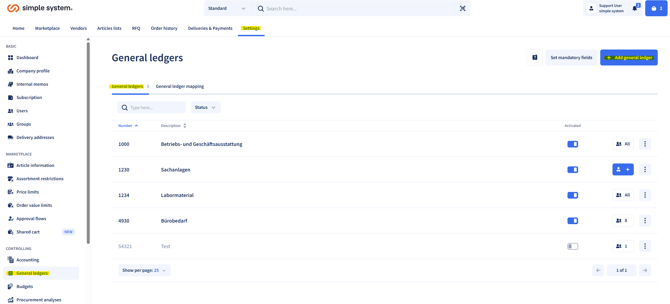
- In Settings, go to the "General ledgers" tab.
- Enter the required data (number & description) for the new general ledger.
- You can create as many general ledgers as you like.
Assigning users
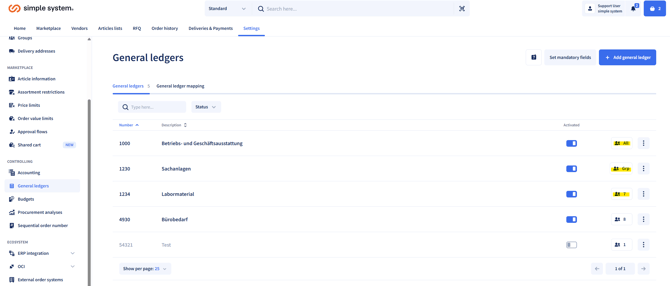
- General ledgers can be assigned to:
- Individual users
- Groups
- All users
Note: A mixture of these options is not possible.
Mandatory field option
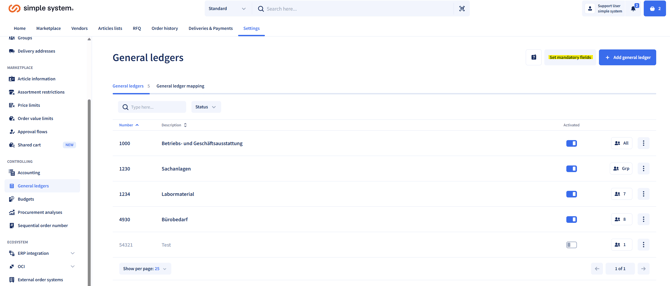
- You can define the selection of a general ledger as a mandatory field.
- In this case an order can only be placed if the orderer has selected a general ledger.
- Activate this setting under Define mandatory fields.
Automatic general ledger assignment
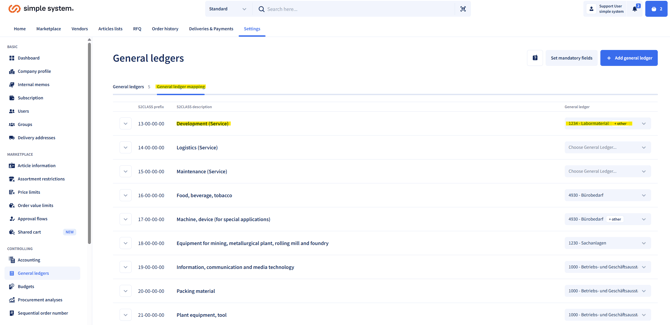
- The platform offers the option of an automatic assignment.
- The basis is the ECLASS classification (product group) of the article.
- You can store a general ledger for every product group you want.
- This is then selected automatically at line item level during check-out.
Summary
General ledgers enable cost control in purchasing by allocating articles and orders to particular accounts. They can be assigned manually or automatically (via ECLASS), allocated to users and defined as a mandatory field. A mixed assignment of users is not possible.
Instructions for administrators