Skip to content
English
  • There are no suggestions because the search field is empty.

How do I create articles lists?

Articles lists are a practical function for collecting and grouping articles and finding them again quickly. They are particularly suitable for regularly needed products or project-related purchasing lists. With articles lists you can order articles directly or manage them together with others.

Advantages of articles lists

  • Quick access to frequently used products

  • Organisation through themed lists (e.g. “Office supplies”)

  • Direct ordering of individual articles or entire lists

  • Team collaboration through sharing and joint editing

  • Creation of barcodes for further use (e.g. simpleScan)


Creating a articles list

    To create a new articles list:
     
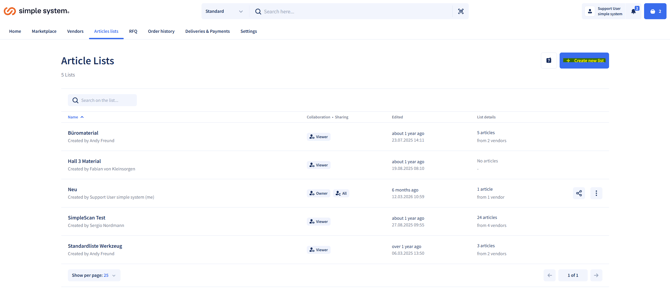
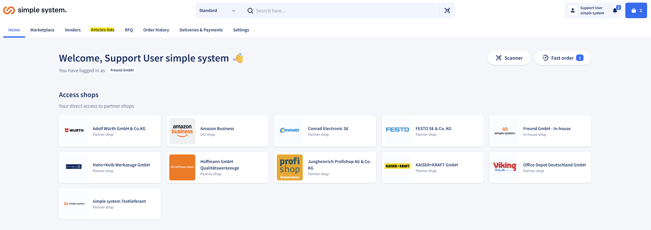
    1.  Navigate to the articles lists overview 
      Open the overview of your articles list.
    articles
     
           2.    Select "Create new list"
                   Click the corresponding button.
    articles-1
     
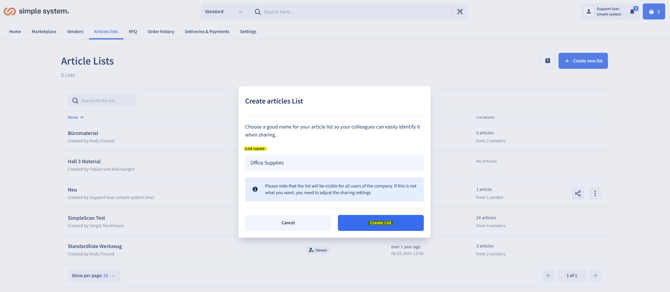
            3.   Name and save the list
                  Assign a meaningful name (e.g. "Office supplies") and confirm
                  the creation.
                 
    articles-2


    Adding articles to an articles list

    You can assign articles to a list directly from the search or the product detail page:

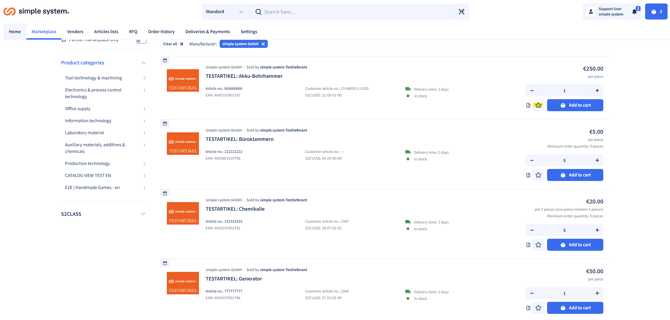
    1. Select the article
      Search for the article you want.
    articles-3
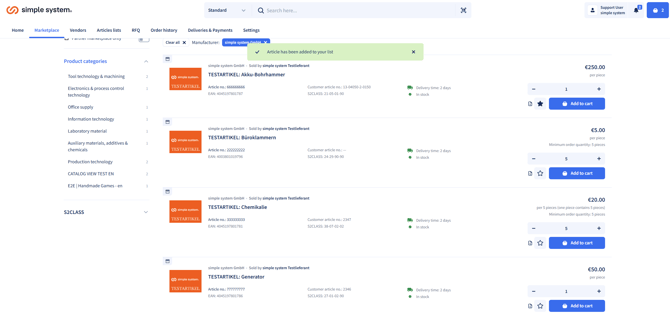
           2.    Click the star
                 This marks the article as a favourite.

    articles-4

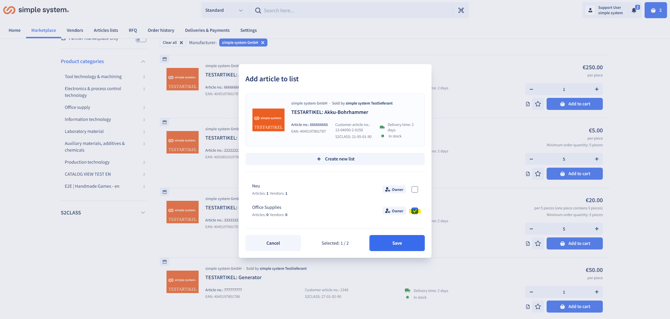
           3.    Select the list and save
                 Select the appropriate articles list and confirm the action.

    articles-Aug-28-2026-08-15-27-3302-AM
     
     
    Sharing articles lists and using them together
     

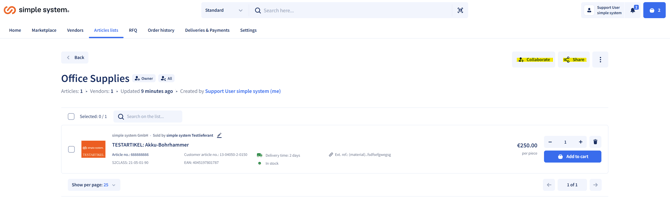
    You can share articles lists with other users and manage them together:

    • Give other users access to your lists.

    • Allow editing by colleagues or team members.

    • Use articles lists created by others.

    • Work together on lists for an efficient purchasing organisation.
    articles-Aug-28-2026-08-20-54-3549-AM


    Ordering directly from the articles list
     

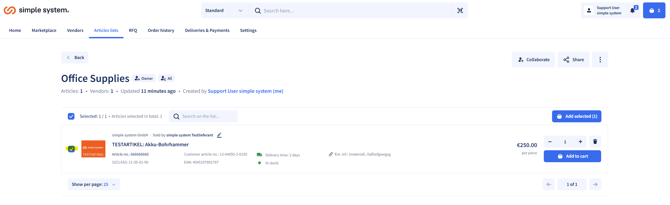
    Articles lists enable quick ordering:

    • Select articles – Choose the products you want from the list.
    articles-Aug-28-2026-08-22-04-2170-AM
    • Add to the shopping cart – Add the articles directly, individually or the entire list.


    Creating barcodes
     

    Barcodes can be generated directly via simple system for all articles in an articles list. They are particularly suitable for warehouse processes, allowing requirements to be reordered quickly and easily.

    -> Use the simpleScan‑function for this.

    You will find a detailed explanation in the following article: simpleScan.


    Procedure - creating barcodes

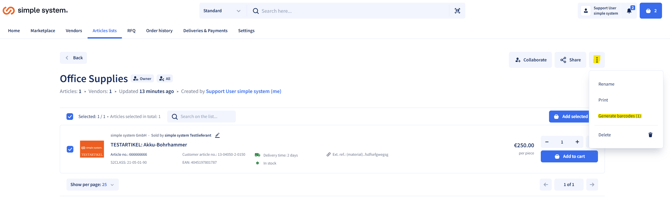
    1. For the articles list you want, click the three dots.
    2. Press Create barcode.
    articles-Aug-28-2026-08-24-23-9643-AM
     
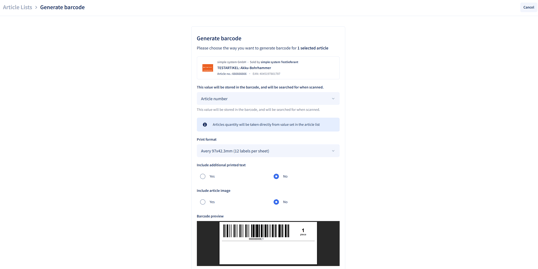
           3.   There you can choose which value is stored in the barcode, e.g. article number,                     customer article number or external reference. There you can also choose, if so, which additional content is printed and whether an article image should be displayed.

    articles-Aug-28-2026-08-30-35-2591-AM
     
     
    Summary
    Articles lists make it possible to organise articles clearly, to order quickly and to add them to the shopping cart directly from the list. Creating barcodes and linking them with simpleScan speeds up and simplifies ordering processes even further.