
Types of budget
Account-assignment-based budgets
-
Always linked to a cost centre (account assignment value)
-
Enable classic cost management on the basis of planning
-
Ideal for companies that want to manage budgets by organisational units or projects
User-based budgets
-
Can be assigned to individual users, groups or all users
-
Important: A mixture of the assignment options is not possible
-
Can be used with and without ECLASS
-
Examples:
-
PPE budgets (personal protective equipment)
-
Canteen budgets for individual employees
-
Step-by-step instructions
-
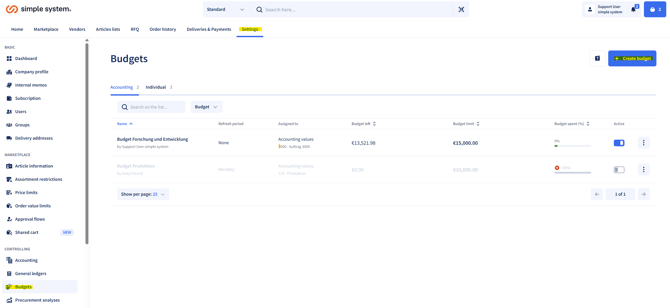
Navigate to Settings > Budgets
-
Click Create budget
-
Choose between:
-
Accounting budget
-
Individual budget
-
-
Define the name, period, budget limit, account assignment type and account assignment value
-
Save the settings
Summary
Budgets help to manage expenditure and make costs transparent. There are two main types: accounting-based (cost centres) and user-based (individual assignments). They are set up via Settings > Budgets > Create budget.
Instructions for administrators