
Where do I find the group management?
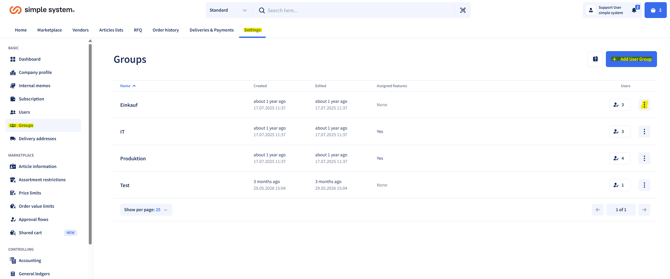
- Navigate to Settings > Groups.
- There you can create new groups, manage existing groups and add or remove users.
Important: A user can only ever belong to one group.
Creating a group
- Click "Create user group".
- Assign a group name.
- Optional: add a description to characterise the groups in more detail.
- Save the group.
Adding users to a group
- Open the desired group
- On the right, go to the three dots (menu).
- Select the "Manage users" action.
- Enter the user in the search bar and tick the box.
-
Save the setting; the user is assigned to the group and automatically receives all rules assigned to that group.
Assigning rules
- Groups can be assigned directly to a rule, e.g. order value limits.
-
Advantage: When a user is assigned to a group, all relevant rules are adopted automatically.
Summary
In simple system you manage groups centrally under Settings > Groups, where you can create new user groups, add or remove users and assign rules such as order value limits directly, so that all members automatically receive the appropriate requirements.
Instructions for administrators